Desktop vs Production Pick-and-Place: When Should You Move Up?
Compare benchtop and production placement machines by feeder capacity, changeover, component range, line integration and facility needs.
5 min read
Desktop pick-and-place machines have made in-house assembly accessible to engineering teams, start-ups and small manufacturers. Many buyers start there, then reach a point where the machine that made prototyping easy begins to limit output. Others wonder whether they should skip the desktop stage entirely.
The decision is not really about speed. It is about whether your feeders, setups, component range and workflow still fit the work you need to do. This guide explains the practical differences and the signals that it is time to invest in production equipment.
What each class of machine is designed to do
A desktop or benchtop placement machine is built for flexibility and low entry cost. It fits on a bench, often runs from ordinary single-phase power, and suits prototypes, engineering builds and small batches. Throughput, feeder capacity and the range of parts it can place are deliberately limited.
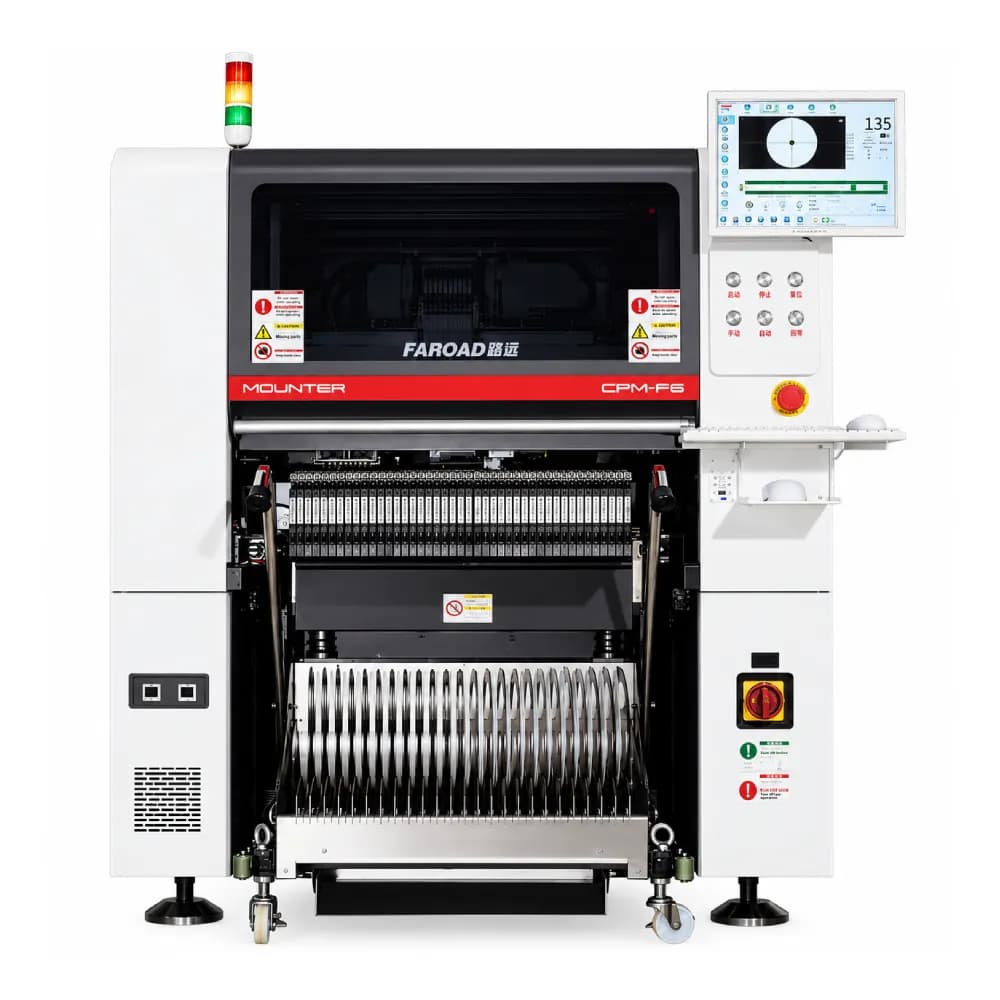
A production placement machine is built to run continuously inside a line. It receives boards from a printer, places components with vision alignment and passes boards to the oven automatically. It carries far more feeders, handles a wider component range and is designed for repeatable results across long runs and shifts.
Both are legitimate tools. The mistake is using one where the other belongs.
Five signs you have outgrown a desktop machine
Feeder swaps dominate the day. When a board has more unique part numbers than the machine can hold, operators spend more time changing reels than placing parts. If most jobs need a mid-run feeder change, capacity is already a constraint.
Parts are placed by hand after the machine. Large ICs, connectors, tall capacitors or trays that the desktop machine cannot handle are often added manually. Manual placement adds labor and inconsistency.
Placement rate limits delivery dates. If orders wait for machine time rather than for engineering or materials, placement is your bottleneck.
Boards move by hand between process steps. Carrying boards from a manual printer to the placer and then to the oven introduces handling damage, waiting and errors.
Customers ask for traceability or repeatable process records. Production machines can connect to factory systems and record barcodes. Some customers will expect that capability.
If two or more of these apply consistently, it is worth costing a production machine.
How production machines change the numbers
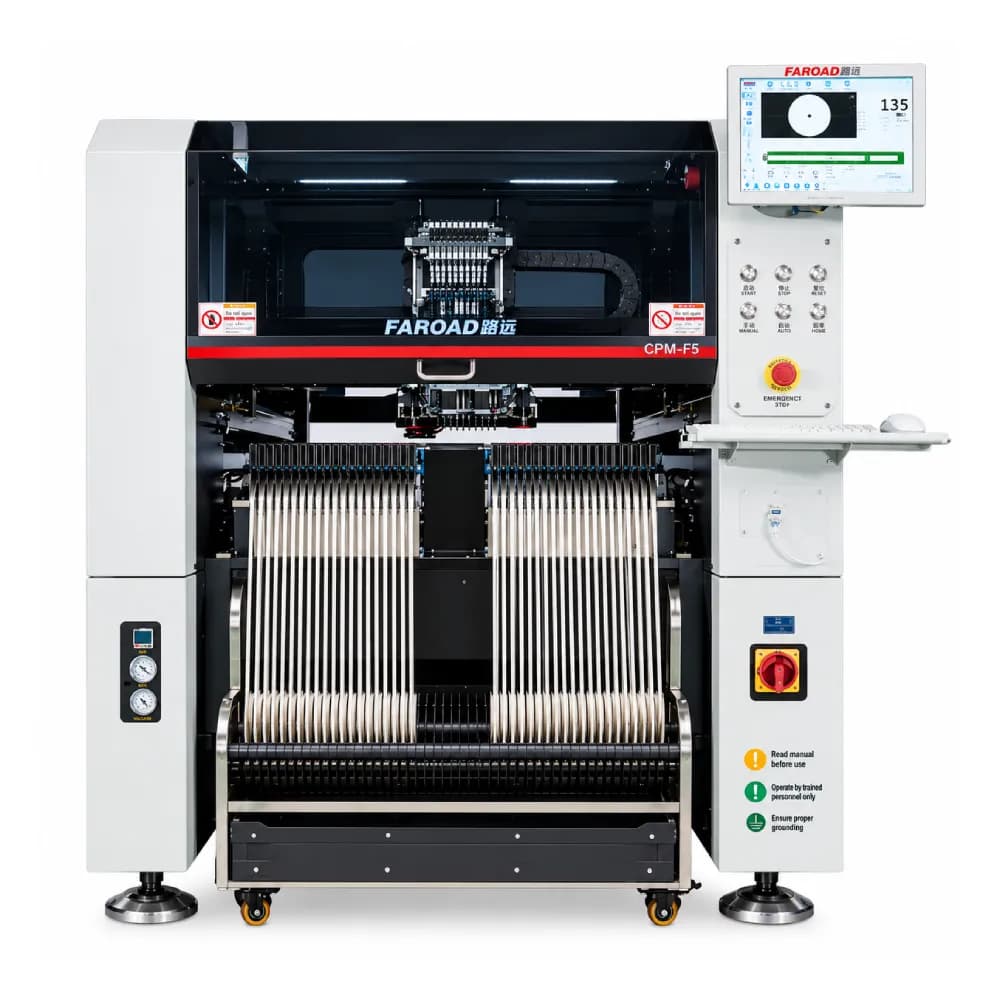
The jump is significant, and the specifications explain why. The FAROAD CPM-F5, a single-arm, single-track modular placement machine, lists optimal productivity of 42,000 CPH with its high-speed head and 18,000 CPH with its multifunctional head. Its published component range starts at imperial 0201 and reaches L40 × W40 × H25 mm on the multifunctional head with a fixed camera.
Feeder capacity is the other major difference. The CPM-F5 lists 50 slots in 8 mm terms on a single side, with a double-sided 100-slot option, plus tape widths up to 88 mm on the multifunctional head, tube feeders and an optional tray cabinet. That allows many more products to stay set up and widens the range of packages handled automatically.
These are optimal-condition figures. Your real output depends on the board, component mix and program. Use them to shortlist, then confirm with a trial on your own boards.
Facility needs that are easy to underestimate
A production machine is industrial equipment. The CPM-F5 page lists approximate weight of 2,060 kg, dimensions of 1380 × 1880 × 1550 mm, a 0.5 MPa compressed air supply at 150 L/min and AC380/420/480V power at 2.5 kW.
That means you may need a compressed air system, three-phase power, a floor rated for the load and a route into the building wide enough for delivery. Ask a qualified electrician to compare the published supply rating with your plant's distribution before you order. A desktop machine rarely raises these questions; a production line always does.
Consider the whole process, not just placement
Moving up from desktop placement usually exposes the next weakest step. A fast placer fed by a manual stencil printer, or followed by a small batch oven, will not deliver its potential.
Plan the printer, oven, inspection and board handling at the same time, even if you buy in phases. A short line with an automatic printer, one production mounter and a conveyor reflow oven is a common first step; additional placement capacity can be added later if the layout allows it.
Compare the options with your own numbers
The figures below are illustrative only and are not FAROAD prices or performance data.
Suppose a desktop setup needs 90 minutes of setup and feeder swaps per job and runs 20 jobs a month. That is 30 hours of setup time monthly before any boards are placed. If a production machine with enough feeders to keep common parts loaded cut setup to 30 minutes per job, it would save 20 hours each month. Add hand-placement time avoided and the value of shorter lead times, then compare the total with the cost of ownership.
Use your own job records. The point is to measure setup, manual work and waiting, not just placement speed.
When a desktop machine is still the right choice
Keep or buy a desktop machine when designs change weekly, quantities are very small, component counts are low and no customer requires line-level traceability. Many companies keep a benchtop unit for prototypes even after installing production equipment, so engineering work does not interrupt the main line.
Frequently asked questions
Can I run production on several desktop machines instead of one industrial machine? It can bridge moderate growth, but feeder management, operator time and process consistency become harder as volumes rise. Compare the total labor with a single production setup.
Is a production pick-and-place machine harder to program? It has more options, but production software is designed for offline program preparation and repeat jobs. Ask for training scope and how programs are created from your CAD and BOM data.
What should I prepare before requesting a quote? Board sizes, a typical BOM with package types, monthly volumes, number of products and your available power, air and floor space.
Which FAROAD machines suit a first production line? The modular precision placement range, including the CPM-F5 and CPM-F6, is a reasonable starting point for review, but the right model depends on your boards and volumes.
Plan the move to production
Before choosing a model, read our pick-and-place selection guide for how to test real cycle time and component coverage. Then send your BOM, board data and volumes and request a FAROAD placement proposal sized for the work you actually run.